 You are viewing an old version of this page. View the current version.
Compare with Current ·
View Page History
You are viewing an old version of this page. View the current version.
Compare with Current ·
View Page History

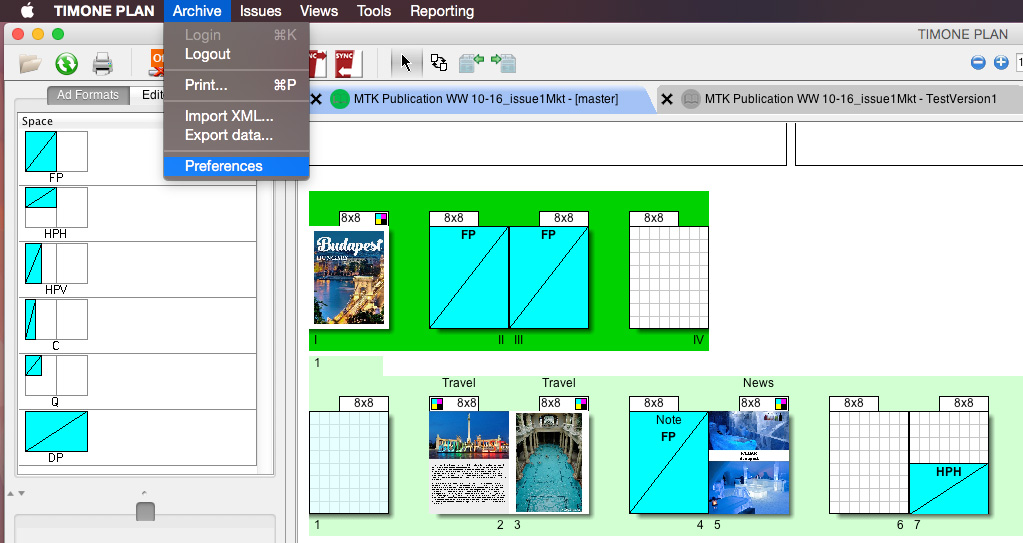
To set up User Preferences, you have to:
1) Click on “Archive”
2) Select “Preferences“.
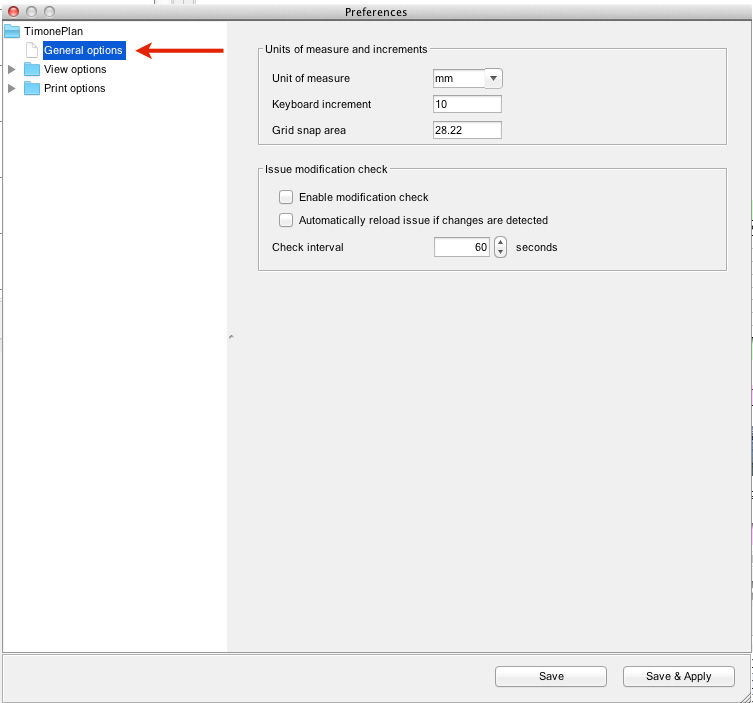
GENERAL OPTIONS:
General Options Panel, allows to define general view options. Thanks to it, it is possible to set:
| Option | Description |
|---|---|
| Units of measure and increments | |
| Units of Measure | unit of measure used in the Plan. It can be set to millimeters (mm), Inches or Points (Pts) |
| Keyboard increment | |
| Grid snap area | |
| Issue modification check | |
| Enable Modification Check | it enables a check for all the modifications made in the Plan. Each modification will be notified: a notification will be displayed in the notification area at the bottom of the Plan |
| Check Interval | this option allows the user to select the interval between checks for modifications in the Plan (in seconds) |


Labels: