...
1) Open an Issue and choose the tab “Editorials”
2) Click on the icon containing a green +;
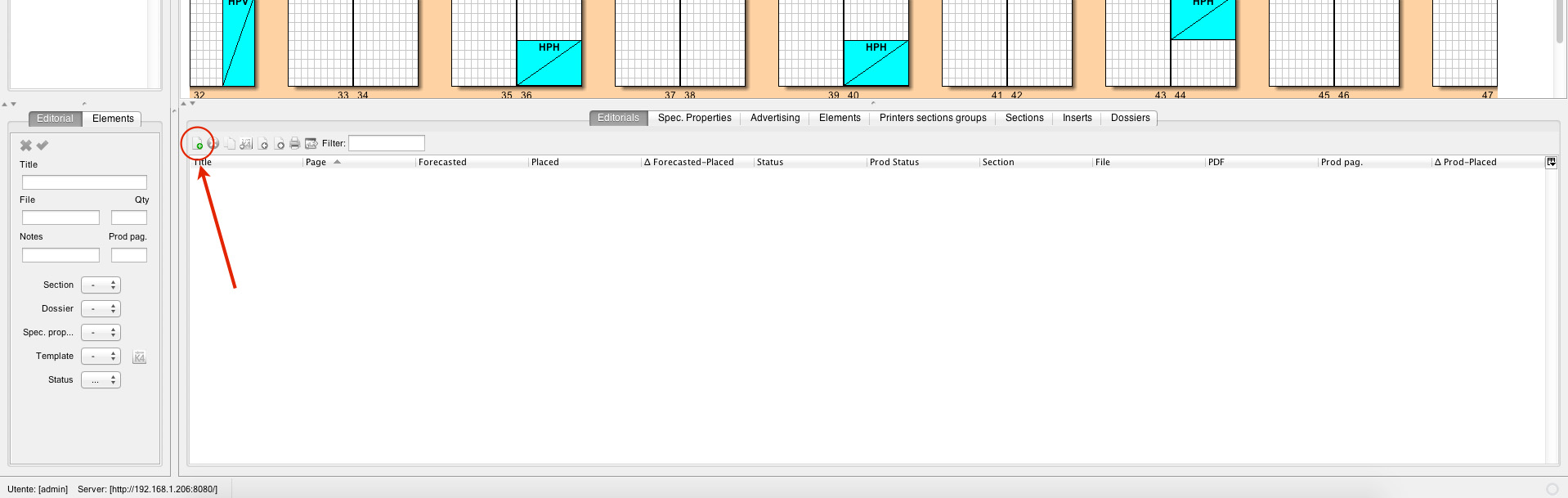
3) Fill in the fields in the window showing up on the left side of the screen ;
| Field | Description |
|---|---|
| Title | The name of your editorial |
| File | The file name (the name which is given to the InDesign file when created). It's automatically filled in by TIMONE System based on the given Title |
| Quantity | The number of pages of the editorial |
| Notes | Additional notes about the editorial |
| Section | The section assigned to the editorial |
| Dossier | The WoodWing Enterprise dossier the editorial shall be contained into |
| Template | The layout template assigned to the editorial for creating the InDesign file in the editorial system |
| Status | The workflow status of the editorial. The first status assigned to an editorial is usually a status which is not part of the editorial system (i.e. Only Planned, Plan, ecc.) |
4) Once you have filled in all the information you need, confirm using the green tick on the upper left side of the panel.
...