...
| Tip |
|---|
The editorial status color can be managed in Administration module; to understand how to define them please consult Editorial Status page. |
| Info |
|---|
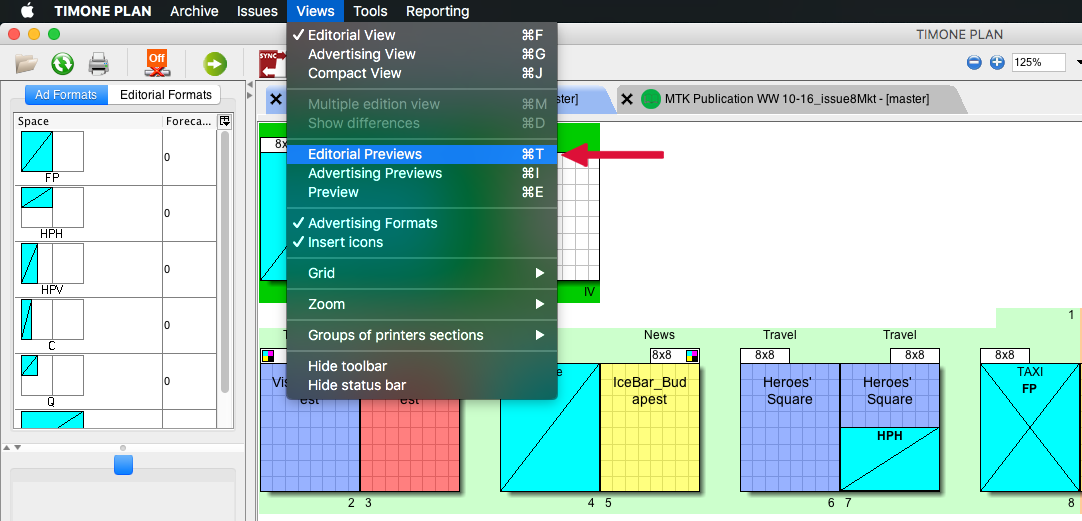
In TIMONE Plan it is possible to able or enable editorial preview clicking on View > Editorial Preview (or ⌘+T) to have a better view of the editorial statuson the fat plan:
|
| Infotip | |
|---|---|
| title | How ToTo understand how to change Editorial Status Manually please consult Change Editorial Status | Manuall
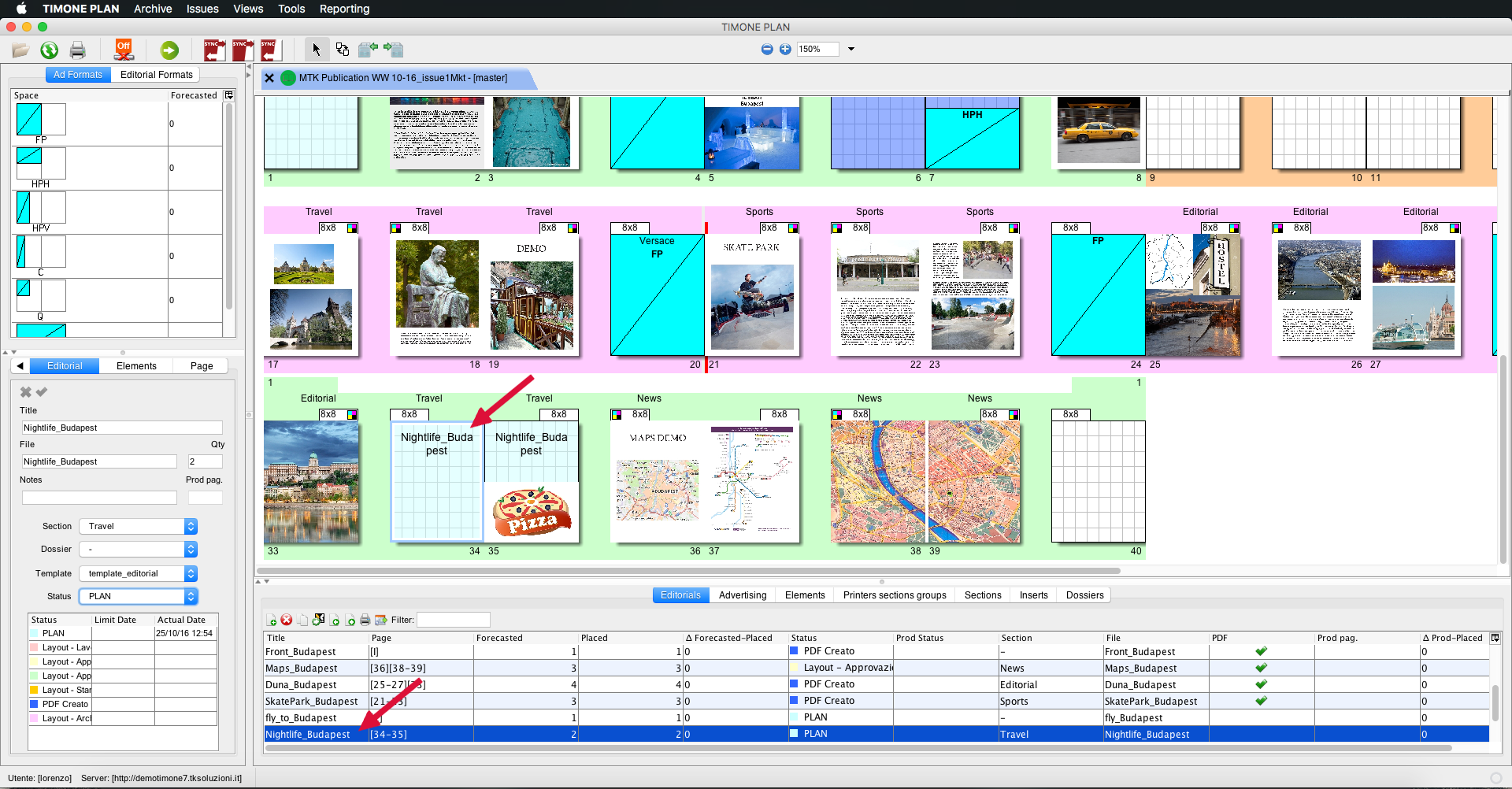
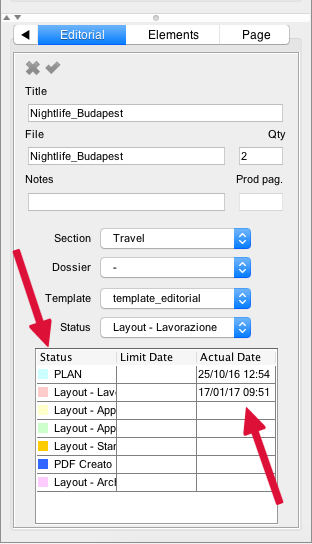
To change editorial status manually you have to:
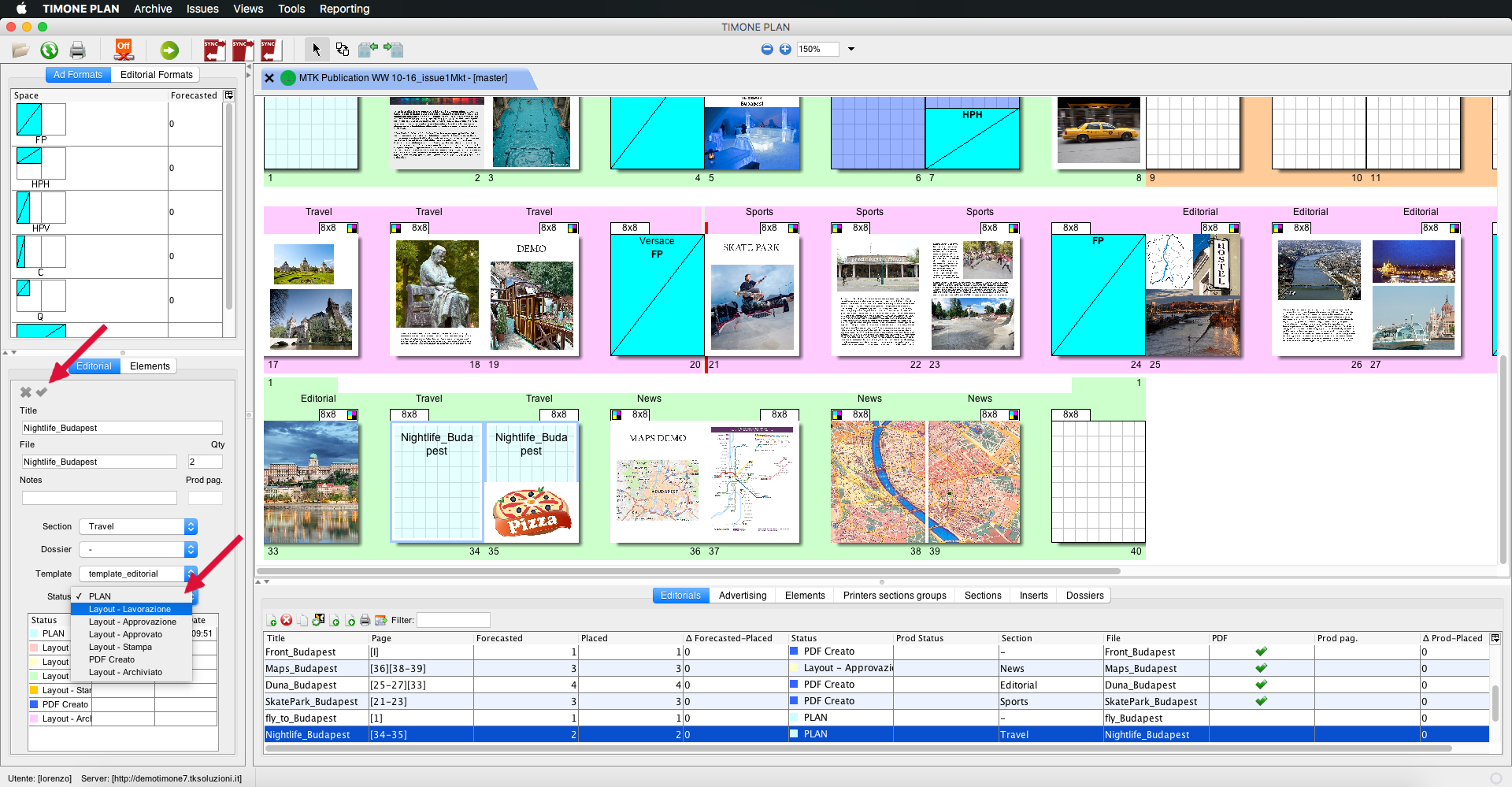
2. Click on Status field and select the new status;
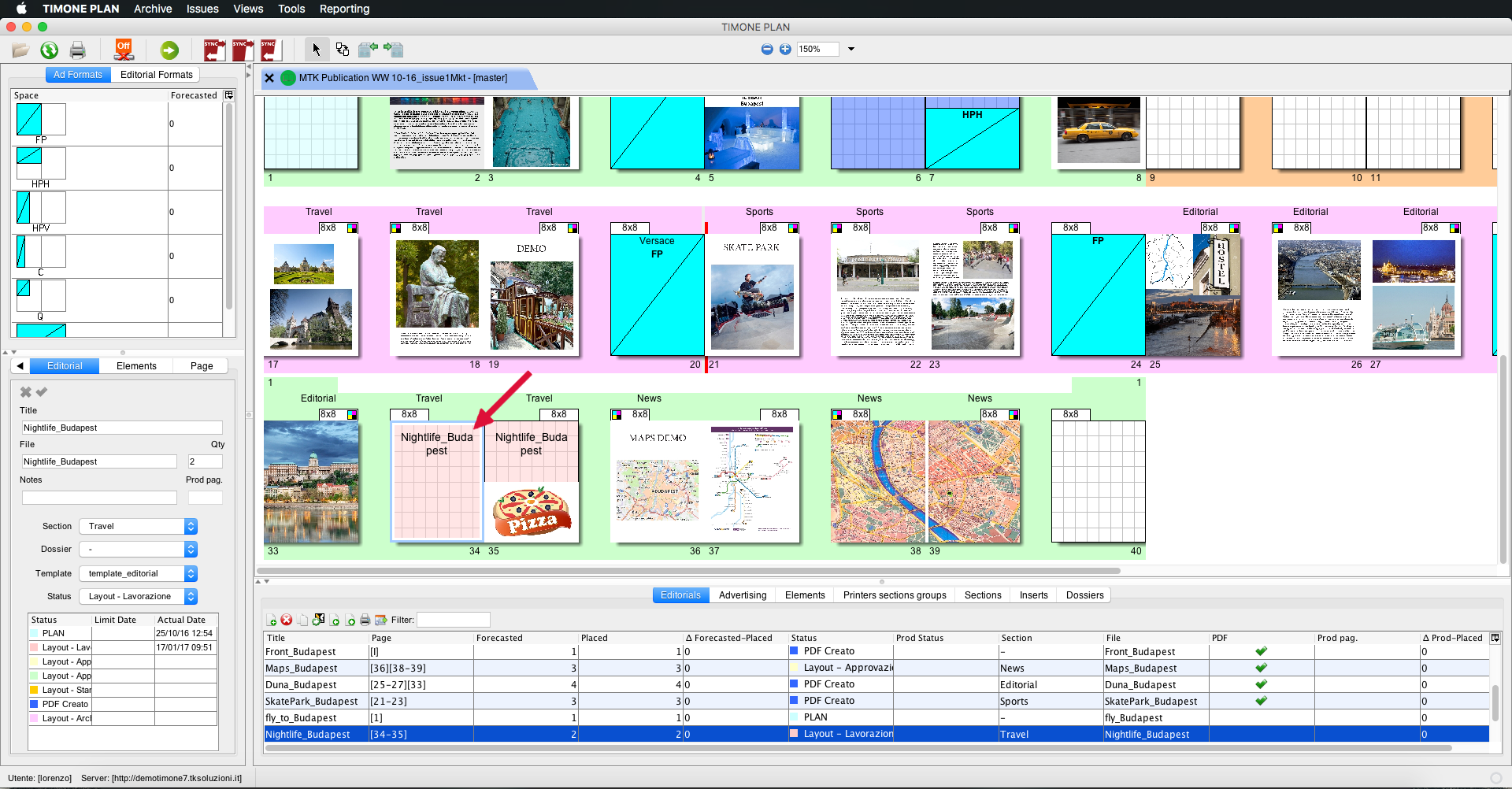
3. Save changes Clicking on the green tic; 4. Now the new editorial status will be available from the fat plan; the color of editorial has been changed;
5. Clicking on an editorial you can see its details: the status and the date of the last status change.
|
Manually page |
- Advertising can be managed in the various modes offered by TIMONE System;
| Tip |
|---|
To understand how to work with advertising please consult Working with Adverts page. |
- To see the previews of the InDesign files in TIMONE Plan, you can upload the PDFs in the flat plan.
| Info |
|---|
In TIMONE Plan it is possible to able or enable editorial preview clicking on View > Editorial Preview (or ⌘+T) to have a better view of the editorialstatuson the fat plan:
|